How to reduce admin time in facilities management
FM admin hours come from small decisions repeated hundreds of times a week. Here's how to set each rule once and let your platform apply it.

FM admin hours come from small decisions repeated hundreds of times a week. Here's how to set each rule once and let your platform apply it.

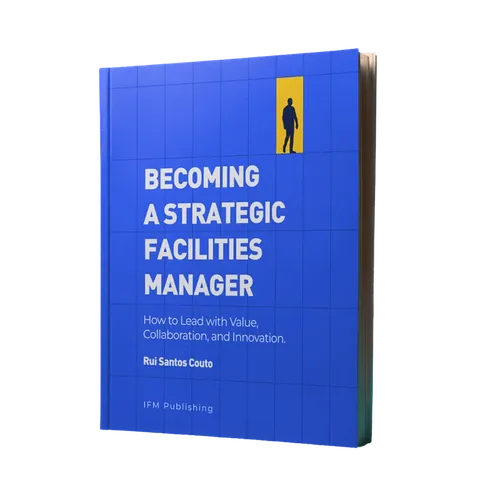
It's time to break the reactive loop. Becoming a Strategic Facilities Manager shows you how.
 Learn more
To reduce admin time in facilities management, stop making the same small decision by hand every time it comes up. Set the rule once, then let your platform apply it to every work order, report, quote and budget line that follows.
That's how Infraspeak, the collaborative FM platform, takes admin off a facility manager's week. Below: where the hours go, the five places Infraspeak takes them back, and how to decide what to automate first.
Admin in FM rarely arrives as one big job. It arrives as hundreds of small decisions a week: who gets this work order, how urgent is it, which cost centre pays for it, does this quote get approved, which version of the report does this client get.
None of those decisions is hard. You made most of them months ago, when you set up the contracts, the teams and the sites. What eats the week is making them again, by hand, every single time, across every site. Fifty identical calls before lunch still need fifty sets of clicks.
The admin that costs the most time tends to share three traits:
It happens often: daily or weekly, on every site.
It follows a rule you could write down: "Lift faults in Building C go to the lift contractor, high priority."
It needs clicks, not judgement: the decision is already made, someone just has to carry it out.
Admin with all three traits is the easiest to hand over to software, and it's where the sections below focus.
Write the rule once in Gear AI Automations and it runs every time the condition is met. Automations use "if this, then that" logic: when a work order matches a condition you set, Infraspeak takes the action you chose.
Rules FM teams commonly hand over to automations:
Assignment: send each work order to the right technician or team based on what it is and where it is.
Prioritisation: set the priority from the work order's details, instead of sorting a queue by the order things arrived in.
Cost centre allocation: book the cost to the right cost centre as the work order comes in, not during a month-end clean-up.
Report delivery: send recurring reports automatically, so nobody has to remember to export and email them on a Friday.
You still decide how work should flow. Gear AI applies that decision the same way every time, including at 3am, on bank holidays and on the day your best coordinator is off sick. For more examples of automated workflows across FM, see what automation looks like in FM and maintenance.
Group your people into teams and assign work to the team. With Teams in Infraspeak, you group users the way your organisation works, such as "North Region Team" or "Night Shift", and assign work to the whole group instead of picking technicians one by one from a list of hundreds.
Teams also change how you plan and manage access:
Filter the weekly planner by team to see only the people who cover a region or shift.
Link teams to buildings, so users get access to the right sites and the right notifications automatically.
Delegate with Team Leads, who manage their team's members and buildings within the permissions you set.
Fewer manual picks also means fewer wrong ones. The night shift stops getting day jobs because someone scrolled one name too far.
Set up report templates per client. Infraspeak lets you define which report formats each client gets and restrict them to that client, so every client receives the level of detail their contract calls for, without anyone editing the file first.
For service providers, standard reports rarely fit every contract. So someone exports the report, deletes the columns one client shouldn't see, reformats it for another, and hopes nothing from client A ends up in client B's PDF. Templates per client remove both the editing and the risk of sending data to the wrong client. For what a useful FM report should contain in the first place, see facilities management reports: why and how to use them.
Run them through Infraspeak Network. Network is a supplier relationship management (SRM) workspace: you and your suppliers work in the same workspace, so you request a quote, the supplier answers there, and you approve it and turn it into a purchase or a job without retyping anything.
What disappears is the coordination around each quote: the email thread titled "RE: RE: FW: quote for roof leak", the call to check it arrived, and copying the approved amount into another system. Updates and messages stay with the job, so "What's the status?" has an answer without picking up the phone. For the wider picture, see our guide on how to manage contractors without spending your week chasing them.
Let the budget update itself. Budget management in Infraspeak brings actual operational spend together with your planned targets in real time, and alerts you when spending is heading over budget.
The manual reconciliation goes: no month-end export, no matching costs to budget lines by hand, no spreadsheet still called "Budget_FINAL_v3". You see where the money is going while it's going, and the numbers are ready when finance asks you to justify a cost. More on running the numbers in budget and cost management in facilities management.
Start with admin that's frequent, follows a clear rule and is cheap to get wrong. That's usually assignment, routing and recurring reports. Keep decisions that depend on context with people.
A simple way to rank what you have:
List the repeat tasks your team did last week, with a rough count of how often each one came up.
Mark the ones you could write as a rule ("if X, then Y"). If the rule needs three exceptions to explain, it isn't ready yet.
Check the cost of a mistake. A wrong assignee gets spotted and fixed in minutes. A wrongly approved quote doesn't.
Automate the top of the list, check the results for a few weeks, then move to the next task.
The time you get back goes to the calls only someone who knows the building can make: the fault that keeps coming back, the supplier who closes tickets without fixing anything, the budget conversation with finance.
Admin is the work around the maintenance itself: logging and routing work orders, setting priorities, chasing and approving quotes, allocating costs, building reports and reconciling budgets. It keeps the operation running, but it doesn't fix anything on its own.
No. In Infraspeak, you decide the rules and the platform applies them. Exceptions, judgement calls and anything that depends on context stay with your team, and you can change a rule whenever the way you work changes.
Both. Report templates per client matter most to service providers running several contracts, and budget tracking to in-house teams answering to finance. Automations, Teams and Network cut repetitive work on either side.
No. Gear AI Automations, Teams, report templates, Infraspeak Network and Budget management all work inside Infraspeak, on the same work orders, buildings and suppliers.
Want to see which parts of your team's admin you could hand over? Book a demo.

Infraspeak Platform
Capabilities
Industries
Resources


