Switching maintenance software: what to check before you sign
Switching maintenance software? Check your history, integrations, suppliers and frontline before you sign, and test each one on your own data.

Switching maintenance software? Check your history, integrations, suppliers and frontline before you sign, and test each one on your own data.

It's time to break the reactive loop. Becoming a Strategic Facilities Manager shows you how.
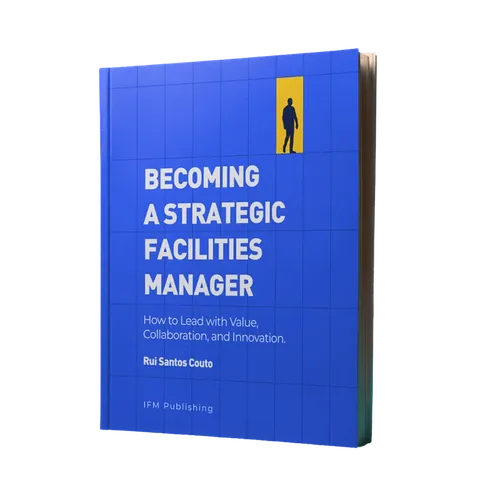 Learn more
Before switching maintenance software, check six things: whether the new platform keeps your full maintenance history, connects to the systems you already run, brings your suppliers into the same workflow, gets used by your least technical staff, uses AI that takes work off the team, and comes with a provider that stays through the rollout. Test each one on your own data, never on the demo account.
Switching maintenance software means moving your work orders, asset records, maintenance plans and supplier workflows from one system (a CMMS, a set of spreadsheets, or a mix of both) to another. The feature list is where most comparisons start. The risk sits somewhere else, and that's what this checklist covers.
Most switches go wrong at the handoffs: the points where your data, your suppliers and your site teams move from the old way of working to the new one. A demo can't show you any of them, because it runs on clean data, with a trained presenter and no suppliers in the room.
Three handoffs decide whether a switch works:
Your history. Years of work orders, failure records and asset changes, with all their gaps and duplicates. Imported data never looks like demo data.
Your suppliers. Contractors who get work orders by email today will keep working that way unless the new platform gives them a reason to stop.
Your frontline. The receptionist logging a leak or the store manager reporting a broken door. If they find the app hard, they go back to phoning the technician, and your data stops at their desk.
The checks below cover those three handoffs, plus the two questions that decide whether the platform keeps paying off after go-live: what its AI does, and what the provider does once the contract is signed.
Only if the new platform can import your records with their links intact and keep every one of them within reach. Ask how work orders, assets and interventions map across, and whether the platform caps stored items or archives old ones automatically.
Some legacy systems limit how many items they hold and move older entries to an archive. As the operation grows, that breaks each asset's story: you can no longer follow how a task progressed or see how often the same unit failed before it was replaced. For a CMMS migration, ask:
Which records come across: open and closed work orders, the asset register, maintenance plans, failure history and attachments?
Do the links between them survive, so a work order still belongs to its asset, its site and its supplier?
Is there a limit on stored items, or a point where old records get archived out of reach?
Can we report on imported history from day one, or only on work created after go-live?
Free and entry-level tools tend to hit these limits first. We cover why in the hidden limits of a free CMMS.
Check whether the platform is built API-first and already integrates with the ERP, accounting and procurement systems you use. If maintenance data has to be typed again somewhere else, the switch moves your information silo to a new address.
Many operations run on a CMMS plus a chat app plus spreadsheets, and every gap between them is a place where a purchase order, a quote or an invoice status gets lost. Ask:
Which of our systems have a ready-made integration, and which need custom work?
Who builds and maintains a custom integration, and what happens when either system updates?
Does data flow both ways? A purchase order raised from a work order should reach procurement, and its status should come back.
Can we read the integration documentation before we sign?
Check whether external suppliers, contractors and clients can work in the same space as your team, sharing work orders, planned jobs and quote requests in real time. If they can't, every handoff to a supplier stays a phone call or an email thread, and the platform only sees half of the job.
For in-house teams, the question is whether a supplier's work shows up in your records without someone retyping it. For service providers, it runs the other way: can your clients follow progress without you building a report every time? Ask:
What does a supplier need to receive and update a work order, and does it cost them a full licence?
Can suppliers send quotes and attach evidence, such as photos or certificates, inside the platform?
Can we judge supplier performance from the work records, rather than from their invoices?
Test it with them. A platform that needs an expert to navigate gets low adoption from receptionists, store staff and occasional users, and when they stop logging requests properly, your data quality goes with them.
The people who report problems are rarely the people who chose the software. Look for a mobile-first app that works for a skilled technician and for someone who opens it twice a month. Before you sign:
Hand a phone to someone who has never seen the app and ask them to report a fault with a photo. Watch where they hesitate.
Ask a technician to pick up, update and close a work order on site, in the conditions they work in.
Check what the person who reported the fault sees afterwards. If they can't tell what happened, they'll phone to ask.
Ask what the AI changes in your team's week. Useful AI takes admin off the team, predicts problems and starts the next action using data you already have. A chatbot added on top of the old workflow gives your team one more place to look.
Almost every maintenance platform now has AI on the pricing page. The difference shows when you ask what it does with your operation's data. Ask:
Which admin tasks does it take off the team, and who checks its output?
Can it score asset health and flag risks from our existing work order and asset history, or does it need IoT sensors first?
When it flags a risk, what happens next: an alert someone has to read, or an action someone can approve?
Sensors can sharpen the picture, and they're worth adding where they make sense. They shouldn't be the entry ticket to any intelligence at all.
Ask for the implementation plan before the contract: who migrates the data, who configures the platform, who trains which users, and who you call when something breaks after go-live. Switching maintenance software is a change management project, and the provider's support decides how fast you see value.
A good plan names people and stages, not just a start date. Look for:
Data migration with validation. Someone checks the imported records against the old system before you switch it off.
A phased rollout. One site or region goes live first, so configuration problems surface before they reach the whole estate.
Training by role. Administrators, power users and field teams need different sessions.
A named Customer Success contact after go-live, to help troubleshoot, keep internal teams aligned and push adoption.
Run each shortlisted platform through your own scenarios, with your own data and people, then compare what broke. A scripted demo tells you what the software can do. A test on your operation tells you what it will do for you.
A practical test, once you have a shortlist (our comparison of maintenance management software is one place to start):
Import one site's history and check that the links between assets, work orders and suppliers survived.
Invite one real supplier to receive, update and close a work order.
Give the app to your least technical user and watch them report a fault.
Run one integration end to end, from work order to purchase order and back.
Ask the AI a question about your own assets and judge whether the answer would change a decision.
Ask for the implementation plan with names on it.
If you're still mapping what this kind of software covers, our guide to CMMS sets out the categories and what each one does.
Infraspeak, the collaborative FM platform, is built around these handoffs. Infraspeak Network gives suppliers, contractors and clients a shared space for work orders, planned jobs and quote requests. Infraspeak Gear AI scores asset health from the data already in the platform, with no IoT sensors required. And a dedicated Customer Success team stays with you through migration, rollout and beyond go-live.
The best way to judge it is the test above. Book a demo and bring your own data.
Migrate what you'll use: the asset register, open work orders, failure history on critical assets and the compliance records you may need to show an auditor. Old closed tickets on assets you've since replaced are rarely worth the clean-up. Decide with whoever is responsible for audits.
Usually not. A phased rollout, one site or region at a time, lets you fix configuration and training on a small scale first. Switching everything at once only works when your processes are already the same across sites.
Briefly, and with a fixed end date. Running both for long splits your data between two systems and teaches people that the old one is still the real one.
The FM lead who owns the decision, a technician who will use it every day, someone from finance or procurement for the integrations and costs, IT for security and data, and, where you can, one of your main suppliers.

Infraspeak Platform
Capabilities
Industries
Resources


