How to set up maintenance records when you’re starting from zero
Starting from paper and spreadsheets? Set up maintenance records in the right order: locations, categories, assets, then tags, so every asset has a plan.

Starting from paper and spreadsheets? Set up maintenance records in the right order: locations, categories, assets, then tags, so every asset has a plan.

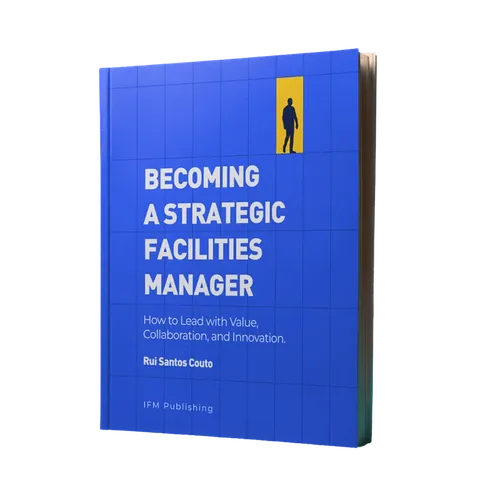
It's time to break the reactive loop. Becoming a Strategic Facilities Manager shows you how.
 Learn more
To set up maintenance records when none exist, build the structure before the list. Map your buildings and locations, define equipment categories with their maintenance policies, then load each asset against both and tag it, so every asset arrives with its plan attached and starts collecting history from the first job.
Most teams start the other way round. Someone opens a spreadsheet, walks the site and writes down everything with a serial plate. A few weeks later the sheet has thousands of rows, four spellings of “air handling unit” and a column called “Location?” that’s half empty. That’s an inventory with nothing to hang it on: nothing in it says where an asset sits, what plan it’s on or what’s been done to it.
This guide walks through the order that works, and the decisions to make at each step.
A central maintenance record is one place where every asset sits in its location, belongs to a type of equipment with its own maintenance policy, and carries its full history of work. Each layer depends on the one before it:
Where: the buildings and locations, structured so anyone can find the plant room, the floor or the specific toilet block.
What kind: equipment categories that hold the technical characteristics, standard tasks and maintenance policy for that type of asset.
Which one: a record per asset, with a unique code that ties it to a location and a category.
What happened: every planned job, reactive work order and inspection, logged against the asset as it’s done.
Skip a layer and the ones above it wobble. Assets with no location can’t be routed to. Assets with no category get their plans typed in by hand, one at a time, until somebody gives up.
Because a spreadsheet accepts anything, so every person who touches it adds their own version of the truth. The same chiller turns up as “CH-01”, “Chiller 1” and “the big one on the roof”. Two technicians survey the same plant room on different days, and nobody spots the duplicates until the auditor does.
The harder problem shows up later. Once the assets are in, someone has to attach a maintenance plan to each one. With no categories to inherit from, that means setting up the same filter change on every air handling unit separately, and getting it slightly different each time. Then a site gets a new asset, nobody adds it, and the record drifts away from the building it’s supposed to describe.
Building the structure first solves both. When an asset can only be added with a location code and a category code, the system holds the naming rules, whoever has the file open.
Start with a tree: the building, then folders that group what’s inside it (floors, wings, zones), then the individual locations where work happens. In a shopping centre, one branch might read North Mall, then Level 1, then Food court toilets. A few decisions here save a lot of pain later:
Go as deep as a technician needs, and no deeper. If the job is “fix the leak in the second-floor toilets”, those toilets are a location. Each cubicle probably isn’t.
Use the names people already say. If everyone calls it Plant Room B, don’t rename it “Mechanical Services Area 2”. Technicians will search for the name on the door.
Give locations a type. Marking spaces as toilets, meeting rooms or corridors lets you plan by type of space later, instead of picking rooms one by one.
Code everything. Each location needs a short, unique code. You’ll need it the moment you start importing assets.
Map one building completely before copying the pattern to the next. The first one always shows you something the plan missed.
A category works as a template. Define it once, with the technical characteristics to record, the maintenance policy and the standard tasks, and every asset created under it inherits all of that. Add every fan coil unit in the building to the same category and they all arrive with their planned tasks attached, instead of each one being set up by hand.
This is also where you decide how much detail each record holds. A lift category might need the manufacturer, capacity and certificate expiry date. A category for light fittings might need almost nothing. Ask what the technician and the auditor will need to see, and capture that.
Before you import anything, walk each category through with a senior technician. Every asset under it will inherit the tasks you set, so a wrong frequency or a missing task gets copied to every asset of that type at once.
Keep the category list short at first: a few well-defined categories that people use beat a long list nobody maintains. If you run more than one site, agree the categories centrally before any site starts. Otherwise each site invents its own, and comparing them later means mapping one naming system onto another.
Import them in bulk from a spreadsheet template, with three codes on every row: a unique asset code, the code of the location it sits in and the code of its maintenance category. Each row points at a location and a category that already exist, which is why those come first.
You don’t need every asset on day one. This order gets the record useful fastest:
Assets with legal or contractual inspection duties, because they’re what an auditor asks about first.
Critical assets, where a failure stops the operation or reaches customers.
Everything else with a planned maintenance routine, so the plans can start running.
The rest, added as technicians come across them during normal work.
The survey is also a good moment to clean up old data. If a nameplate disagrees with the spreadsheet you inherited, the nameplate wins.
Tag the assets. A QR code or NFC tag on each asset lets a technician scan it and see its maintenance history, warranty and details straight away, without searching for the right record. With NFC, the scan also confirms the technician was on site, which gives you proof of the visit for reporting and billing.
Our guide to asset tagging covers the tag types and how to roll them out.
The history starts building itself. Every work order and planned job closed against an asset adds to its maintenance log, so the next technician sees what was done last time, and the next budget conversation has evidence behind it.
You also see patterns a spreadsheet hides: which type of asset fails most, which site generates the most reactive work, which locations keep calling the same contractor back. And planned maintenance can finally be built against the assets you have. If you’re rebuilding plans from scratch, our guide on how to set a preventive maintenance plan in five steps picks up from here.
This is the part of FM nobody sees from the outside. Leadership judges the operation by clean buildings and closed tickets. Data quality, compliance evidence and contract performance sit below the waterline, and a central record is what brings them up to where you can manage them.
Infraspeak, the collaborative FM platform, follows the same order as this guide:
Buildings and locations: build the Building > Folder > Location tree on the web platform or import it in bulk from a spreadsheet template, and give each location a typology.
Maintenance categories and types of equipment: set them up once, and every asset created under them inherits its technical characteristics, maintenance policies, standard tasks and interventions.
Assets: import the asset register from a template, with an asset code, location code and maintenance category code on every row.
Tags: generate QR codes or assign NFC tags, so technicians open each asset’s history, warranties and details with a scan.
Ready-made templates: downloadable templates built around industry best practice, for importing clients, locations, assets and preventive maintenance plans.
Once the data is in one place, Infraspeak Data Lake centralises and analyses it together with data from connected systems, so the same record feeds your reports and automated workflows. For larger estates, our implementation team works through asset taxonomy design and data migration with you before go-live.
See how Infraspeak handles asset management
Only what you’ll use. Bring across each asset’s last service date, open defects, warranties and inspection certificates, since those decide what happens next. Scan or archive the rest: years of handwritten job sheets rarely change a maintenance plan.
Yes, and for most estates it’s the safer route. Fix the category list and coding rules centrally first, then roll out site by site, so the last site uses the same structure as the first.
One named person or a small team should own the location tree, the categories and the codes. Technicians should be able to add assets they find and flag errors, but changes to the structure go through the owner. Without that, the record drifts the same way the spreadsheet did.
An asset register lists what you have and where it is. Maintenance records add the plan for each asset and every job done on it. Our article on what an asset register is covers the register itself.
Expect some of it to be. Import it as a starting point, then check each asset against what’s on site during the tagging walk, when someone is standing in front of it anyway. Fix codes and locations as you go, and the record is verified by the time the last tag goes on.

Infraspeak Platform
Capabilities
Industries
Resources


