Automated maintenance scheduling: one trigger doesn’t fit every check
Automated maintenance scheduling keeps recurring checks on time. See when to run them by date, by last completion or by usage, and how Infraspeak does it.

Automated maintenance scheduling keeps recurring checks on time. See when to run them by date, by last completion or by usage, and how Infraspeak does it.

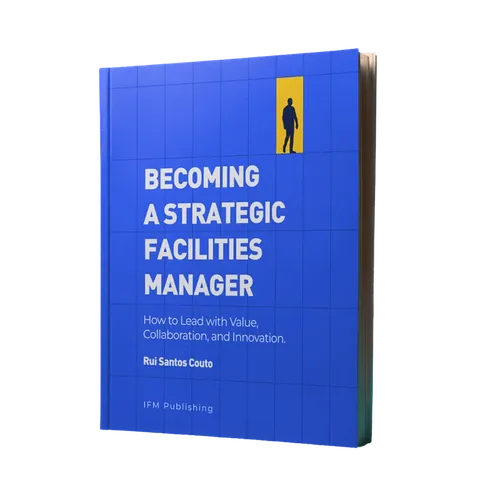
It's time to break the reactive loop. Becoming a Strategic Facilities Manager shows you how.
 Learn more
Automated maintenance scheduling means your software creates every future occurrence of a recurring check from a rule you set once, so nobody has to rebuild the calendar by hand. Whether it works comes down to the trigger behind each routine: a fixed date, the date the last check was finished, or how much the asset has been used.
In January, the plan looks perfect. By April, the monthly checks that slipped a week are still pretending it’s March, the standby generator that ran for days during an outage is on the same cycle as the one that never left standby, and someone is spending Friday afternoon dragging jobs around the calendar.
That drift is how a preventive plan slides back into the FM Reactive Loop. Late checks pile up as backlog, the backlog eats the time meant for prevention, and the failures you planned to prevent turn up anyway. Automating the schedule removes the admin. Giving each routine the right trigger is what keeps the schedule true.
Below are the five ways Infraspeak, the collaborative FM platform, schedules recurring maintenance on its own, and how to decide which one each routine needs. If you’re still building the schedule itself, start with how to draw up a preventive maintenance schedule.
Automated maintenance scheduling is when maintenance software generates the next occurrences of a recurring task from a rule, instead of someone creating each job by hand. In Infraspeak, those rules live in the Planned jobs app, where each recurring routine becomes a planned job that schedules its own planned job orders.
The rule can follow three kinds of trigger:
A fixed calendar: the check runs every day, week or month, whatever happened last time.
The last completion: the next check is scheduled a set time after the previous one is finished.
Usage: the check runs when the asset reaches a set number of working hours, kilometres or another cumulative reading.
A fourth kind, event-driven scheduling, reacts to something that happens to an asset instead of to time or usage.
Use a fixed calendar when the date itself matters: the interval comes from a contract, a manufacturer or a regulation, or the check has to land on a known day for access or audits. In Infraspeak, these are Cyclic Planned Jobs.
You set the frequency once, and Infraspeak schedules every future planned job order automatically. If you want the background on calendar-driven maintenance as a strategy, our complete guide to time-based maintenance covers it.
The catch with any fixed calendar is the job orders nobody starts. A missed weekly check doesn’t go away. It sits there, overdue, next to the following week’s, and the one after that. Autopilot deals with them: it automatically closes planned job orders that were never started and have expired, so the schedule shows only what still needs doing. No graveyard of zombie tasks nobody will ever open.
Then the interval should start from completion, not from the calendar. In Infraspeak, Dynamic Planned Jobs work this way: the next occurrence is only scheduled a set amount of time after the current one is completed.
Say a quarterly filter change runs three weeks late because the site was closed for works. On a fixed calendar, the next one is still due on its original date, only a couple of months after the late visit. With a Dynamic Planned Job, the clock restarts when the late one is closed, so the gap between visits stays the gap you planned.
That makes dynamic scheduling a good fit for routines where the time between services matters more than the date. The trade-off is that the dates move through the year, so keep anything that must land on a fixed date on a Cyclic Planned Job.
With usage-based scheduling, where the trigger is a cumulative reading, such as a vehicle’s mileage or a generator’s working hours. In Infraspeak, these are Usage-based Planned Jobs.
The hard part with usage triggers is knowing when the threshold will be reached, so the job is on someone’s calendar before it’s overdue. Infraspeak works out a prediction date from the asset’s past usage trend, automatically filters out outlier readings, and schedules the planned job order for the day it expects the threshold to be hit.
The outlier filter matters more than it sounds. One mistyped reading (an extra zero on the hours counter, say) can pull a forecast weeks off. The filter drops readings like that, so the forecast follows the real trend.
Usage-based scheduling predicts when a usage threshold will be reached. It doesn’t monitor the asset’s condition. If that’s the trigger you need, see what condition-based maintenance is and how it works.
Save it once as a template and apply it wherever it’s needed. In Infraspeak, a Cyclic Planned Job can be saved as a Planned Job template and applied across different clients, buildings or equipment.
This is where standardising across sites usually breaks. The routine is right at the first site and slightly different everywhere it was copied by hand: a step missing here, a different frequency there. With templates, every site starts from the same version, and fewer mistakes creep in during setup. For service providers, that means one routine, set up the same way, across every client contract.
Yes. Some maintenance follows an event rather than time or usage. In Infraspeak, the Housekeeper app reacts when an asset’s status is updated and can automatically schedule the follow-up maintenance task, without anyone creating it by hand.
It works like a row of dominoes. One status change sets off the next task, and that one can set off the one after it. Hotel checkout is the classic case: the room’s status changes, and the cleaning and checks that follow are scheduled on their own. For more ways teams automate routine flows, see what automation looks like in FM and maintenance.
Start from what makes the asset need the work, then match the trigger to it. A routine on the wrong trigger gets done too often or too late, and automating it only makes that happen on schedule.
What drives the need for the work | Trigger | In Infraspeak |
|---|---|---|
A date set by a contract, a manufacturer or a regulation | Fixed calendar | Cyclic Planned Jobs, with Autopilot |
The time between services | Last completion | Dynamic Planned Jobs |
How hard the asset works | Usage reading | Usage-based Planned Jobs |
Something that happens to the asset | Status change | Housekeeper |
The same routine at many sites or clients | Fixed calendar, set up once | Planned Job templates |
A few signs a routine is on the wrong trigger:
The same asset type works very differently from site to site. A calendar treats them all the same. A usage trigger follows how hard each one works.
A check keeps getting done late, and the next one lands too soon after. The interval probably belongs to the last completion, not the calendar.
Overdue job orders keep stacking up on a routine nobody will catch up on. If the date can’t move, keep it on the calendar and let Autopilot clear what has expired, so the backlog shows real work.
Want to see how each trigger would work on your own routines? Book a demo.
No. Usage-based scheduling in Infraspeak forecasts when an asset will reach a usage threshold, based on its past usage trend, and schedules the job for that day. It doesn’t monitor the condition of the asset itself.
No. Once a Cyclic Planned Job has its frequency, Infraspeak schedules all of its future planned job orders automatically.
Recurring routines run in the Planned jobs app, as Cyclic, Dynamic or Usage-based Planned Jobs, with templates to reuse them. Follow-up tasks triggered by an asset’s status change run in the Housekeeper app.

Infraspeak Platform
Capabilities
Industries
Resources


